Info & Sign up

Academy for creative concepting
Digital Skills
The Digital Skills course focuses on developing fundamental skills in digital visualization. The emphasis is on the practical application of Adobe Creative Cloud, with hands-on training in Photoshop, Illustrator, and Canva. Participants learn to work more efficiently with essential tools to transform their creative ideas into visually powerful and professional digital designs.
This module offers the opportunity to gain immediately applicable skills that help you present your concepts more effectively, both internally and externally. Whether it’s for presentations, marketing materials, or visual communication, the goal is to use digital visuals to convey your message more clearly and convincingly.
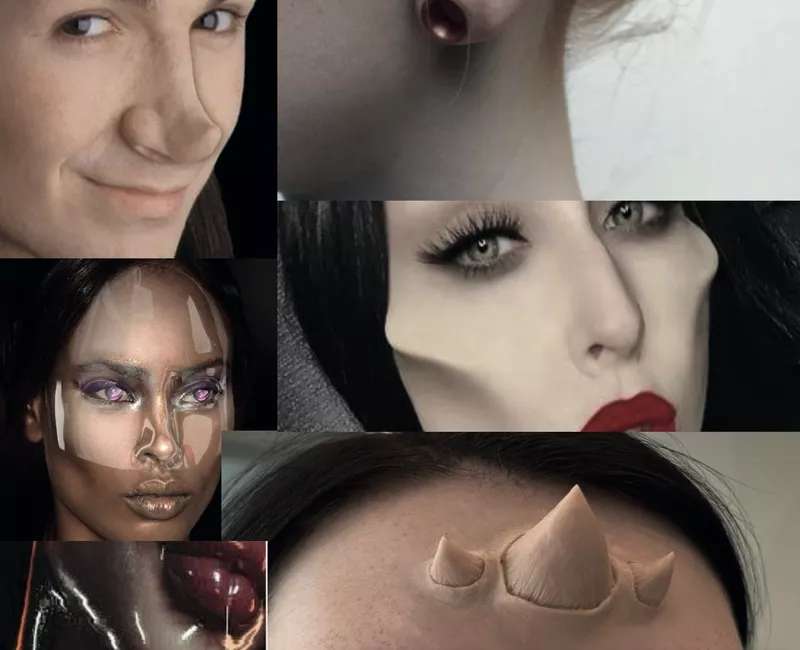
All visuals were created by Artemis students.
You'll learn
Basic functions of Photoshop, Illustrator & InDesign
Graphic Creation
Image Integration and Layout
Editing and Manipulating
Shaping Designs
Course buildup

Theme 1
Introduction
In this first week, we’ll get acquainted with Adobe Creative Cloud and Photoshop. You’ll learn about the various applications and capabilities of the program, and we’ll guide you through the interface. Additionally, you’ll get an overview of the most commonly used tools. The week concludes with a creative assignment where you edit images and transform existing visuals.
Expert
Joske Vink
Time Investment
9 hours (including approximately 6 hours of self-study)

Theme 2
Working in layers
This week, we’ll dive deeper into working with layers in Photoshop. You’ll learn how to crop and frame images, as well as how to combine multiple photo files. During the creative assignment, you will manipulate three self-selected images from your own professional context. You’ll work in layers to create a collage, applying various layout techniques in image and color use.
Expert
Joske Vink
Time Investment
9 hours (including approximately 6 hours of self-study)

Theme 3
Advanced Applications
In week three, we explore more advanced Photoshop applications such as masks, transformations, perspective, and shadows. You’ll learn how to add graphic elements and manipulate files. For the creative assignment, you’ll develop a webpage relevant to your professional context, using various images with a focus on cohesion and consistency in the layout.
Expert
Joske Vink
Time Investment
9 hours (including approximately 6 hours of self-study)

Theme 4
Basic Principles
This week, we transition to Illustrator. We cover the basic principles of the program and its applications. You’ll learn various tools and techniques to better understand the fundamentals of Illustrator, such as the pen tool, shape tools, and selection tools. By the end of this lesson, you’ll understand how to draw paths, lines, and shapes using Illustrator.
Expert
Marvin Bruin
Time Investment
9 hours (including approximately 6 hours of self-study)
Theme 5
Next step Illustrator
In week five, we delve deeper into creating vector images using the knife and scissors tools, various types of lines, colors, gradients, arrangement, and layers. This lesson will give you more technical insight into how logos and/or icons are created.
Expert
Marvin Bruin
Time Investment
9 hours (including approximately 6 hours of self-study)

Thema 6
Shape Creation, Pathfinder, and Text Tools
In the final Illustrator lesson, you’ll learn to work with various tools such as Shape Creation, Pathfinder, and text tools. We’ll also cover image vectorization and provide a brief introduction to AI applications. Additionally, there will be an opportunity to ask questions from your own context, which we will address as a group. By the end of the lesson, you’ll have a solid overall understanding of how to work as a designer using Illustrator.
Expert
Marvin Bruin
Time Investment
9 hours (including approximately 6 hours of self-study)

Our tutors
The experts who bring creativity to life
Meet the experts behind our modules—the creative thinkers who make a difference together. Their unique blend of vision and craftsmanship empowers them to realize ambitions and take a step forward with every challenge.

